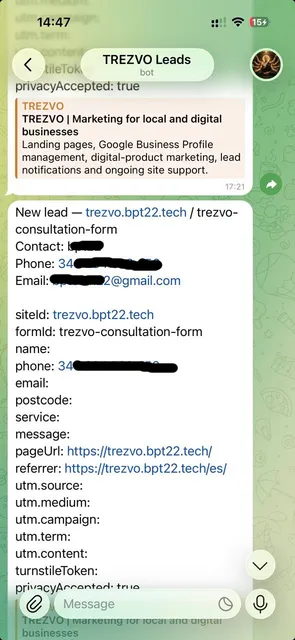
A lead reaches a Telegram chat the moment the form is submitted.
 TREZVO
 Lead notifications
Forms and calls only help if someone sees them in time. Notifications route each submitted enquiry to where the business actually checks it.
Get 2 ideas to attract more customersEach destination is enabled explicitly for a business; none is turned on by default. All three together are included in Site Support (€30/month) once a page is live.
Connecting the destination account, agreeing the message format and confirming who is responsible for following up. These details are set before anything goes live, not assumed.
This is not a CRM replacement, does not guarantee a delivery or response time, and does not forward personal data anywhere beyond the destination the business configured.
See it in action (real example)
The two screenshots below are real leads captured through this exact routing, with contact details redacted for privacy.
A lead reaches a Telegram chat the moment the form is submitted.
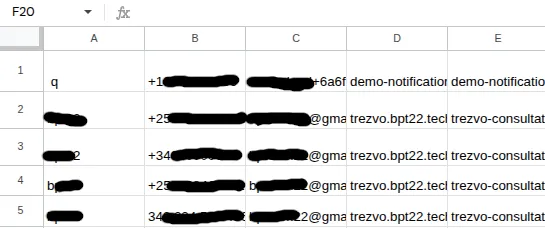
The same lead is logged in a Google Sheet only the business can view.
Stop missing enquiries